Share Links with Non Staff Users
Sometimes it's useful to share files/folders with users outside of the Grace Church staff. Sharepoint has this ability.
Disclaimer: Be careful you aren't sharing anything sensitive with users outside the organization. If you have any doubts, please ask IT.
To Share a link:
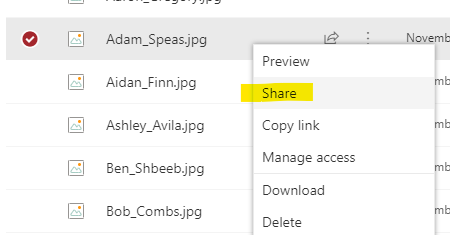
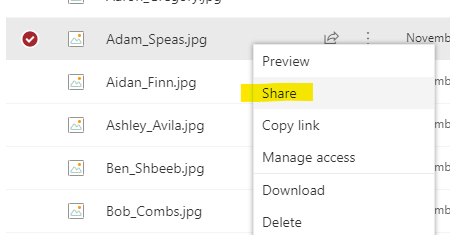
- Find the file on Sharepoint and right click and select Share:
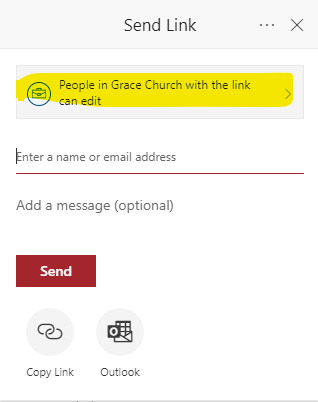
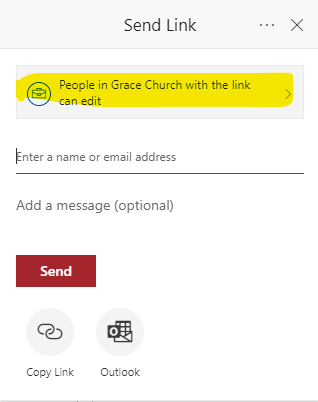
- A Send Link Window will pop up. Select the top button highlighted below:
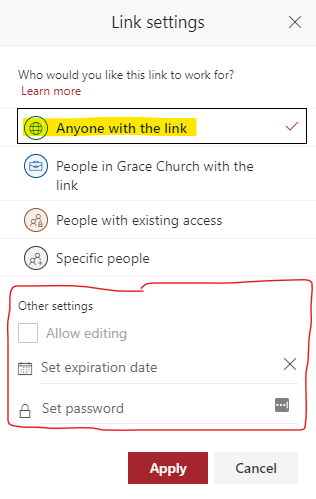
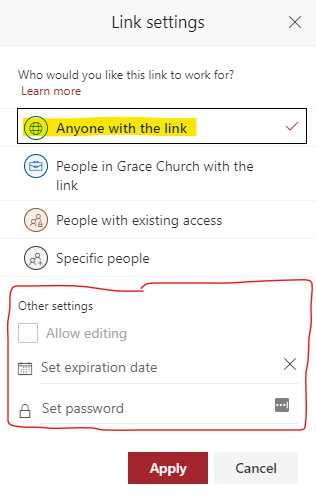
- In the Link Settings Window Select Anyone with the link. Consider using and expiration or password to add a little more security if needed. Then click Apply
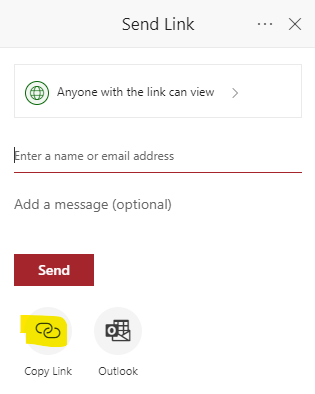
- Finally, click Copy Link to copy the link.
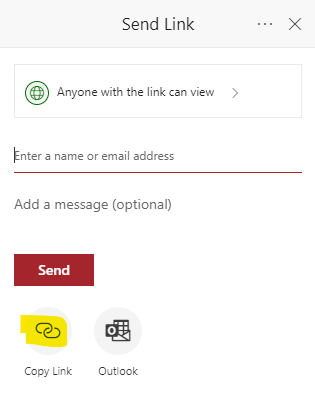
- Now you can paste this link in an email or use it to share a file on the website.