OneDrive Application

OneDrive is the Cloud Storage Syncing application we use in our organization, for both PC's and Mac's. It automatically backs up your files under your OneDrive Folder on your computer and actively syncs any changes you make, whether it is made locally on your computer or in the browser using Office365. You can make changes to your OneDrive directory as you see fit either right from your computer or in the browser at https://gracechurchohio-my.sharepoint.com/ . You can always access your OneDrive either from your Computer through the application, through the webbrowser, or through the app on your phone. This has several applications. Currently we use Uniflow Scanning to send big scan jobs, that don't fit in a normal email, to a user's OneDrive.
The OneDrive application is also used to sync down any SharePoint Site or specific SharePoint folder you want! Check out how to do this here: How to Sync and Favori... | Grace Church KB (gracechurches.org)
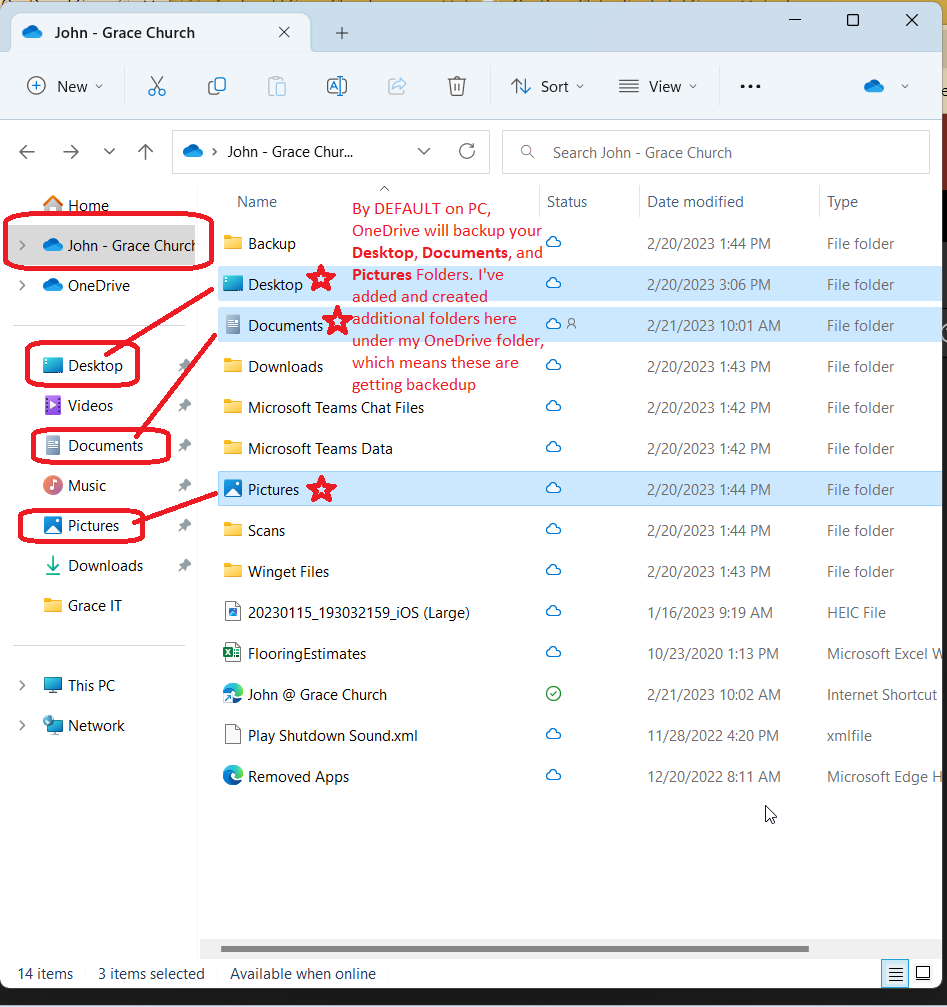
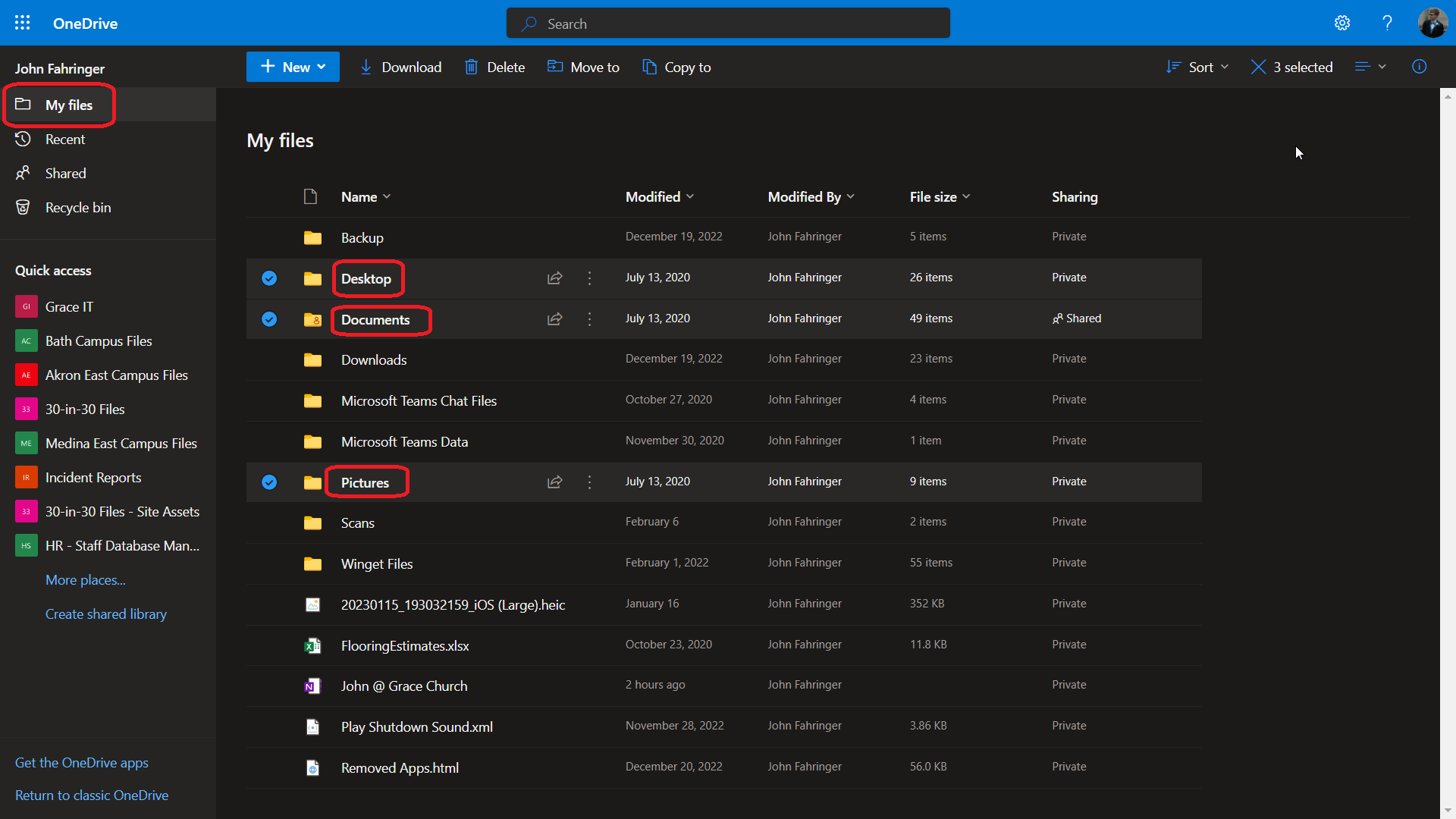
By default on PC's, OneDrive syncs up your Desktop, Documents, Pictures folders on your computer. You will notice these are also located under your OneDrive folder if you are using a PC:
PC View:
OneDrive ONLINE View:
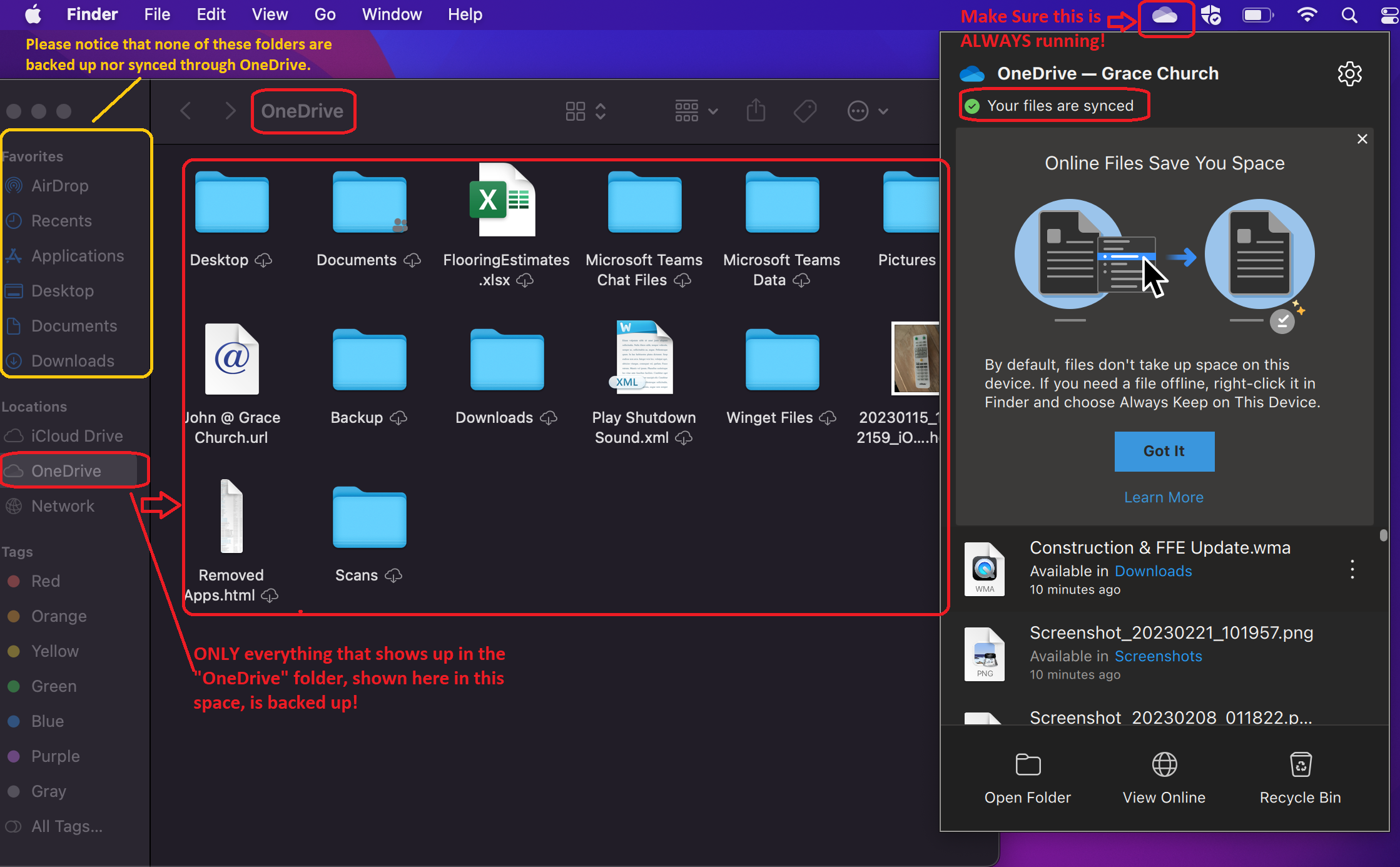
On MacOS, OneDrive currently does not automatically backup the Desktop, Documents, or Pictures folders. Make sure if there are files that you want actively backed up and synced that you are putting them in the OneDrive folder.
macOS View: