Stop Chrome from Saving Passwords
Steps to stop Chrome from saving passwords.
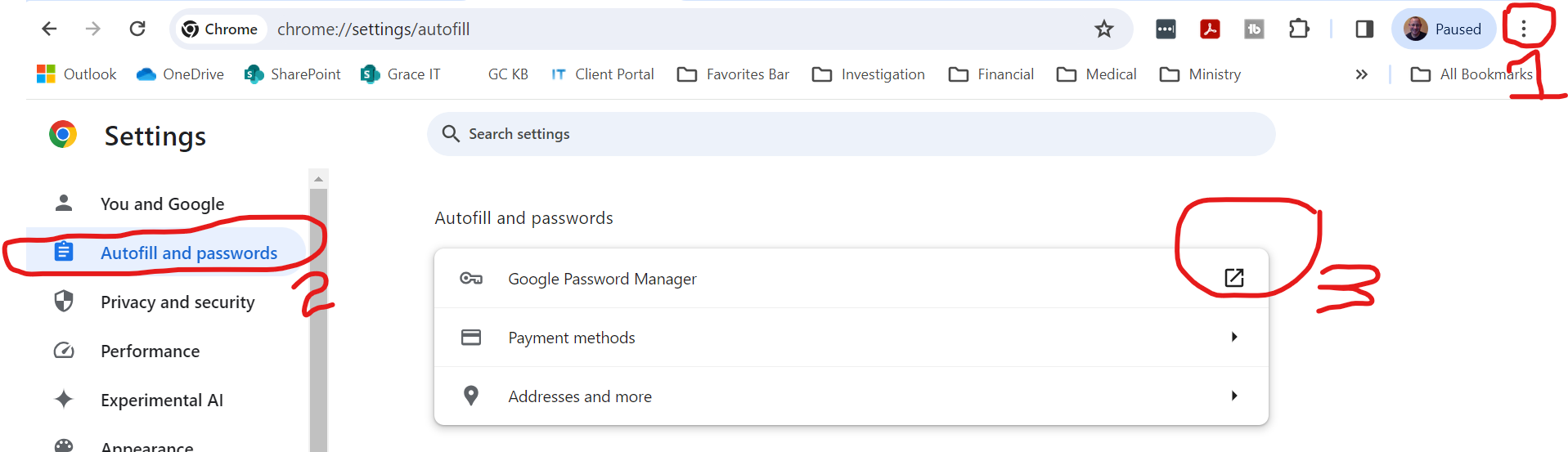
On Password Manager page
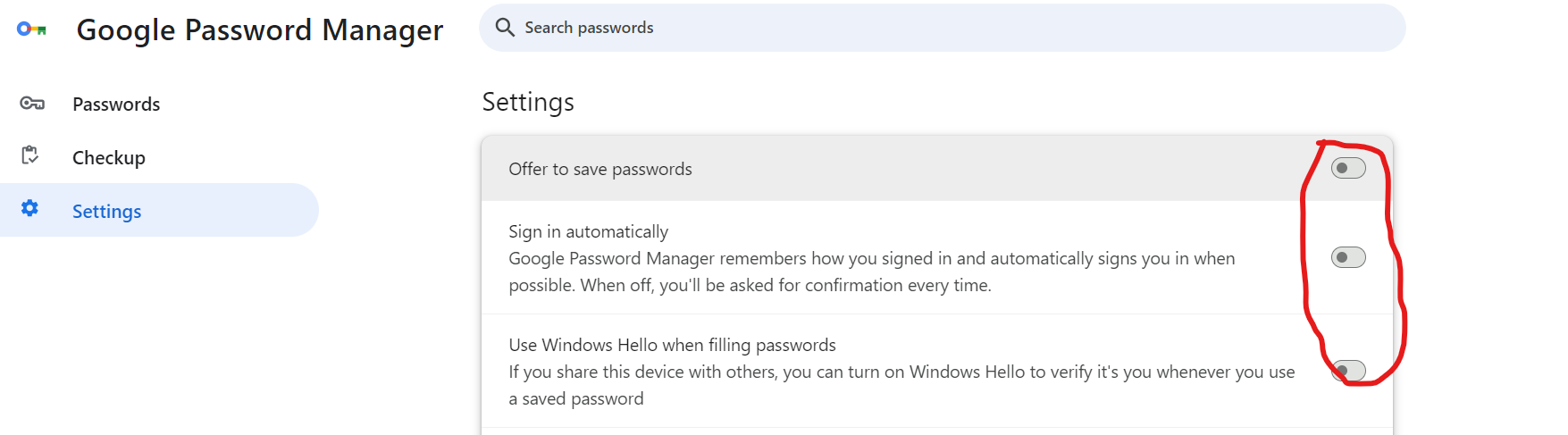
Make sure all three of these switches are off. This will disable the Google Password Manager.
Steps to stop Chrome from saving passwords.
On Password Manager page
Make sure all three of these switches are off. This will disable the Google Password Manager.