# How to Update Office for Windows 10

**<span data-contrast="auto">How to update Microsoft Office on Windows 10</span>**<span data-ccp-props="{"201341983":0,"335559739":160,"335559740":259}"> </span>

- <span data-contrast="auto">Open any Microsoft Office document (Word, Excel, etc).</span><span data-ccp-props="{"201341983":0,"335559739":160,"335559740":259}"> **Make sure any important documents are saved before proceeding.**</span>
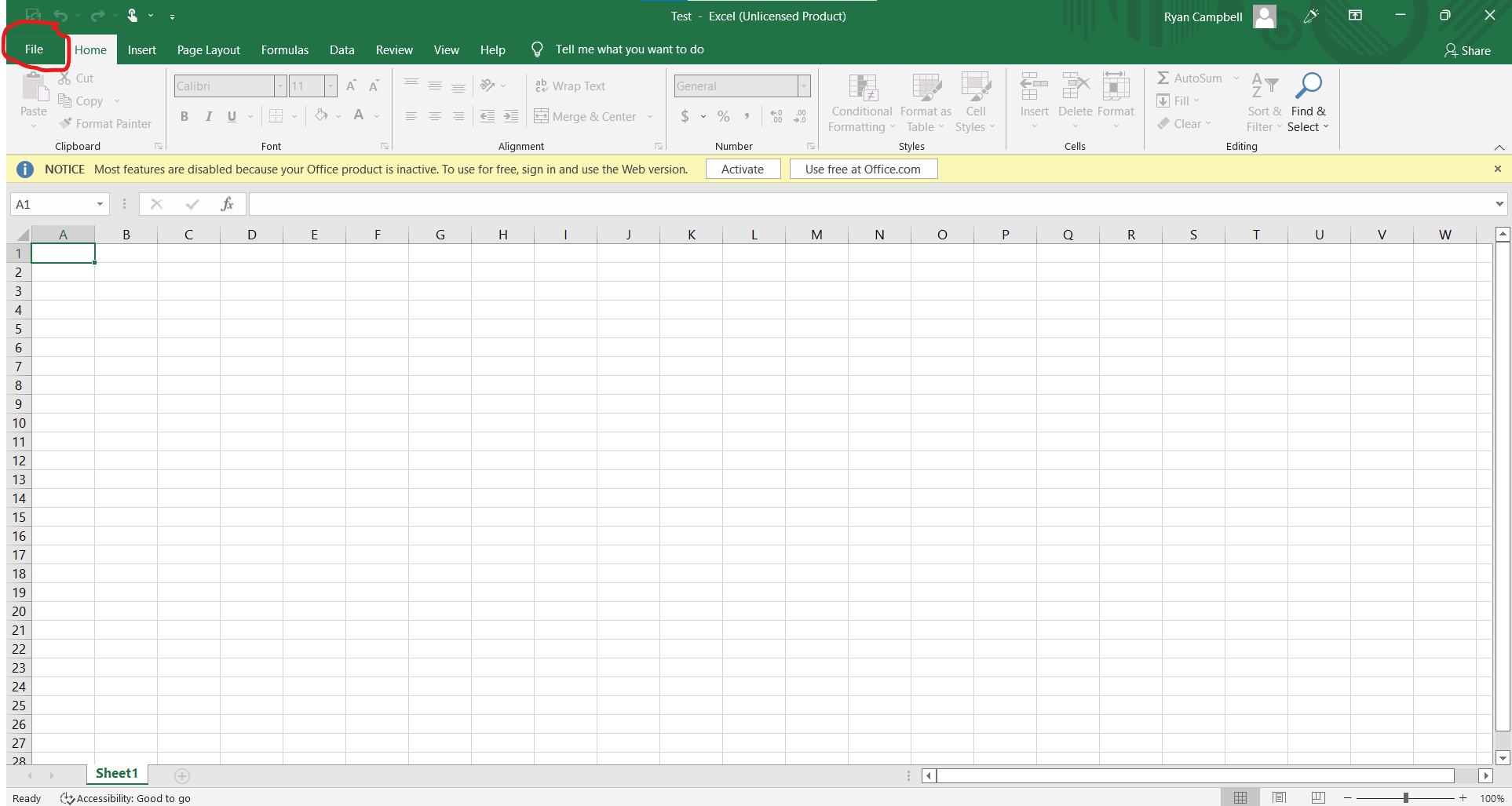
- <span data-contrast="auto">Click on File at the top left corner of the document.</span><span data-ccp-props="{"201341983":0,"335559739":160,"335559740":259}"> </span>

<span data-ccp-props="{"201341983":0,"335559739":160,"335559740":259}"> [![Office-Widowas-1.png](https://kb.gracechurches.org/uploads/images/gallery/2022-04/scaled-1680-/office-widowas-1.png)](https://kb.gracechurches.org/uploads/images/gallery/2022-04/office-widowas-1.png)</span>

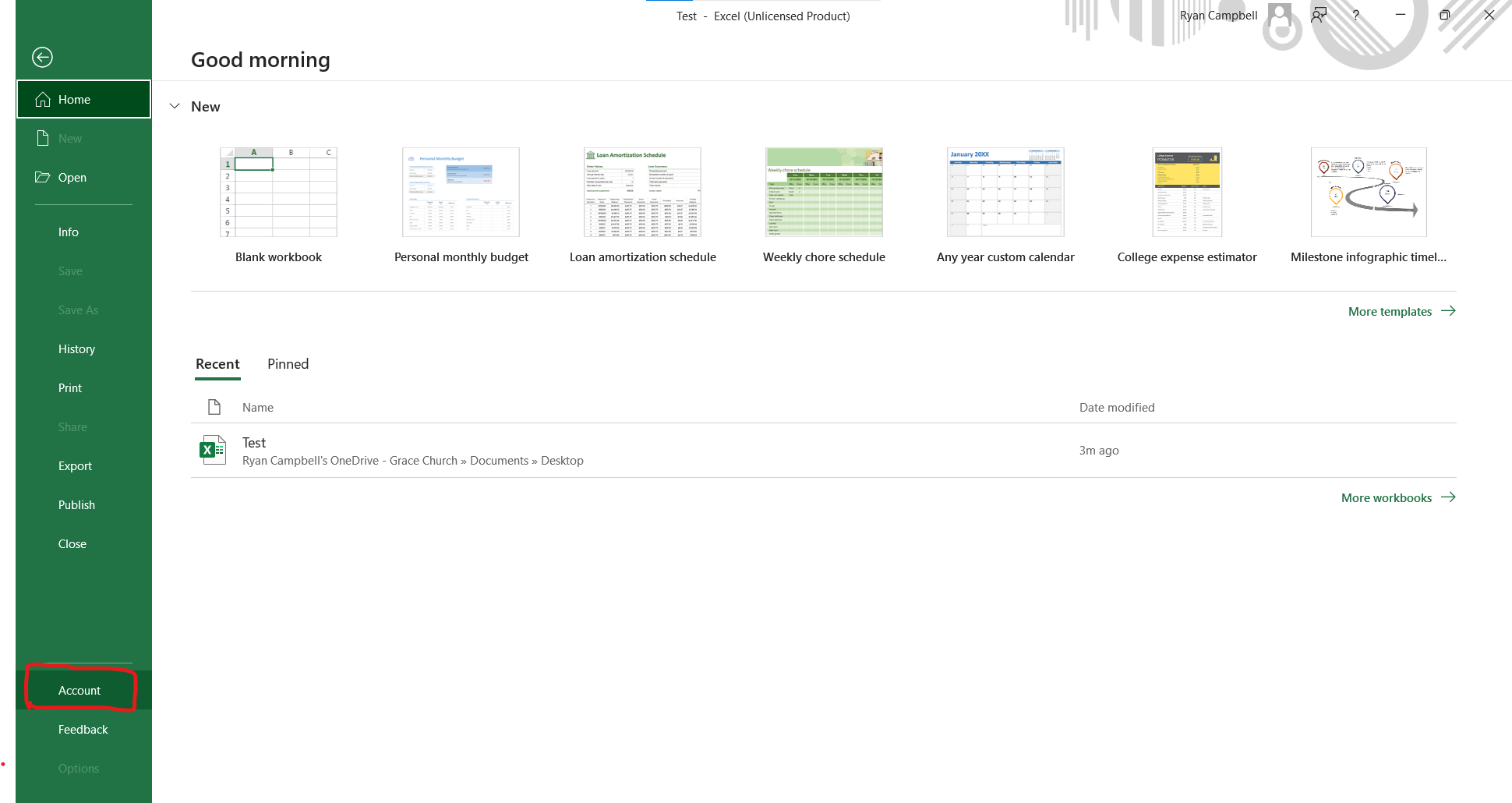
- <span data-contrast="auto">Click on Account.</span><span data-ccp-props="{"201341983":0,"335559739":160,"335559740":259}"> </span>

<span data-ccp-props="{"201341983":0,"335559739":160,"335559740":259}"> [![Office-WIndows-2.png](https://kb.gracechurches.org/uploads/images/gallery/2022-04/scaled-1680-/office-windows-2.png)](https://kb.gracechurches.org/uploads/images/gallery/2022-04/office-windows-2.png)</span>

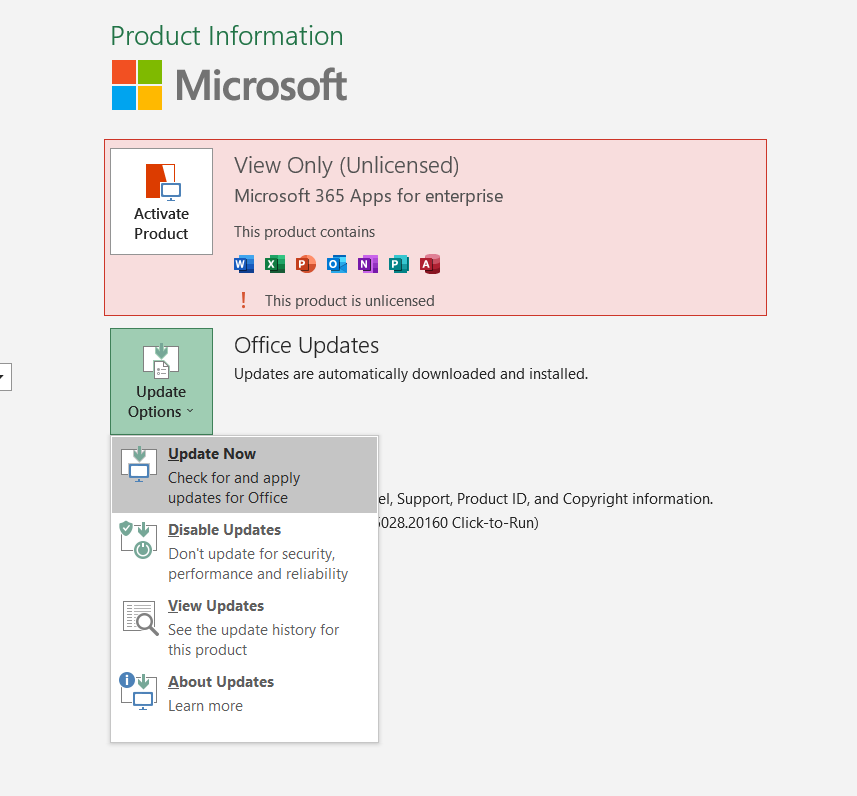
- <span data-contrast="auto">Click on the Update Options box, left of Office Updates.</span><span data-ccp-props="{"201341983":0,"335559739":160,"335559740":259}"> </span>

<span data-ccp-props="{"201341983":0,"335559739":160,"335559740":259}"> [![Ofice-Windows-3.png](https://kb.gracechurches.org/uploads/images/gallery/2022-04/scaled-1680-/ofice-windows-3.png)](https://kb.gracechurches.org/uploads/images/gallery/2022-04/ofice-windows-3.png)</span>

- <span data-contrast="auto">Click Update Now.</span><span data-ccp-props="{"201341983":0,"335559739":160,"335559740":259}"> </span>