Delete All Saved Passwords in Edge
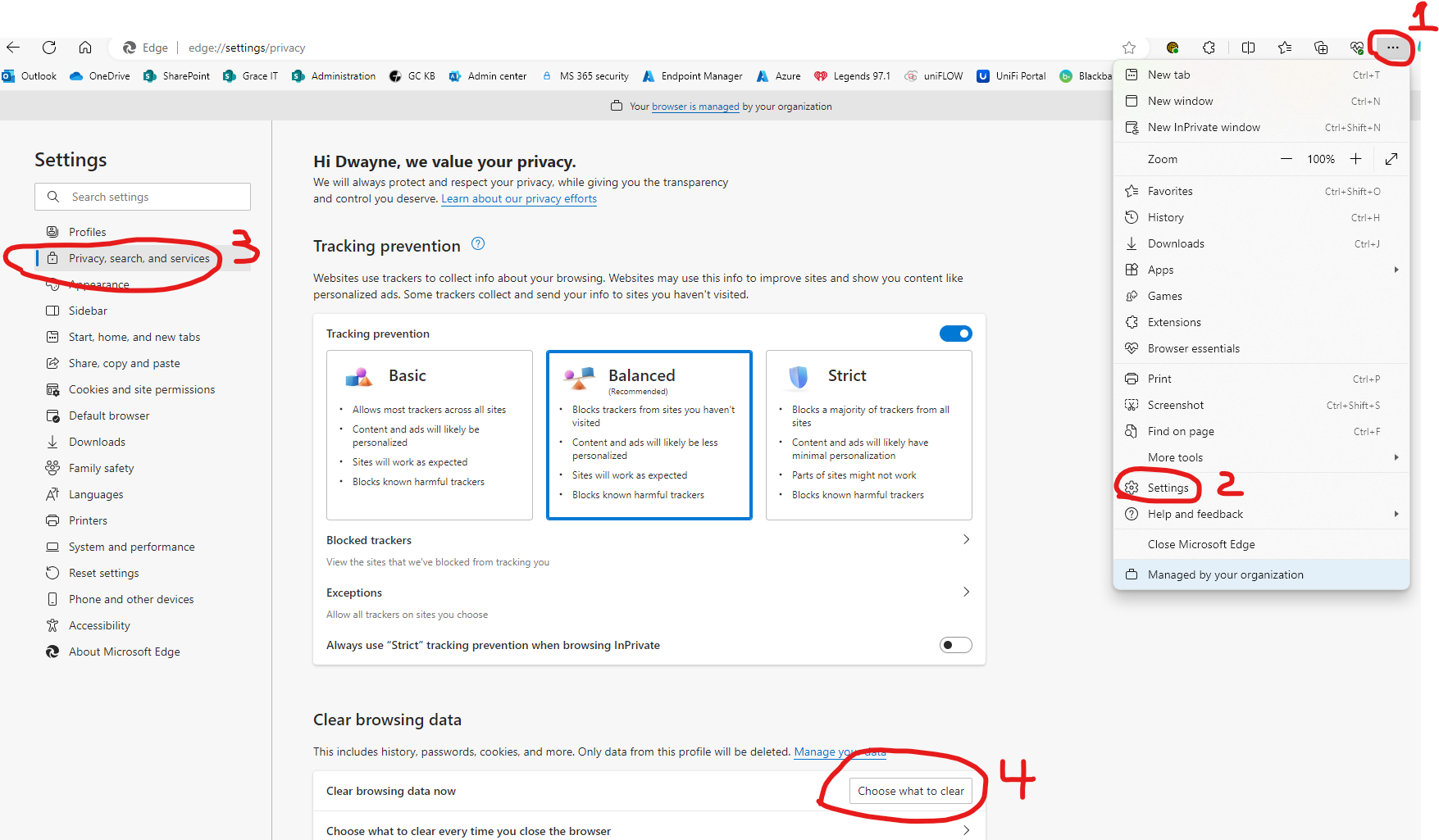
Click on Menu ellipses.
Click on Settings
Click on Privacy and security
Scroll down and Click on Clear browsing data.
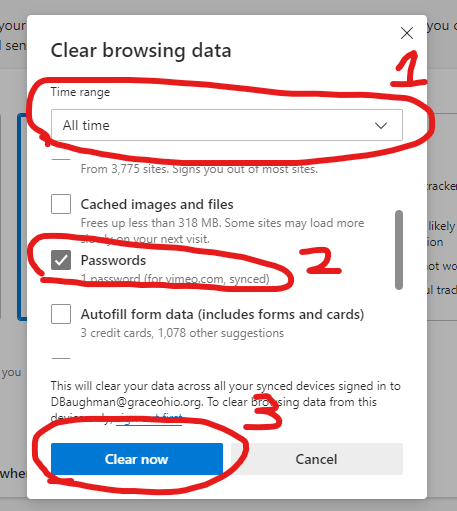
Change Time Range to "All time"
Check the Passwords box and uncheck all other boxes
Click on Clear Now
Revision #1
Created 2024-04-08 11:37:04 UTC by Dwayne Baughman
Updated 2024-04-08 11:45:21 UTC by Dwayne Baughman