Delete All Saved Passwords in Chrome
Steps to delete all saved passwords in Chrome
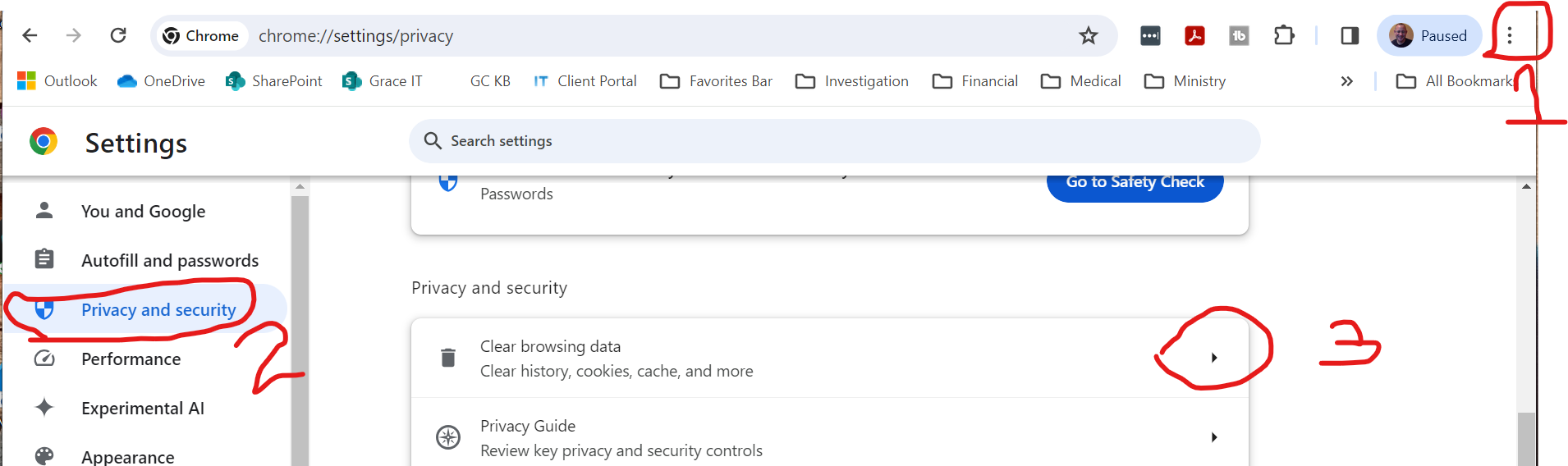
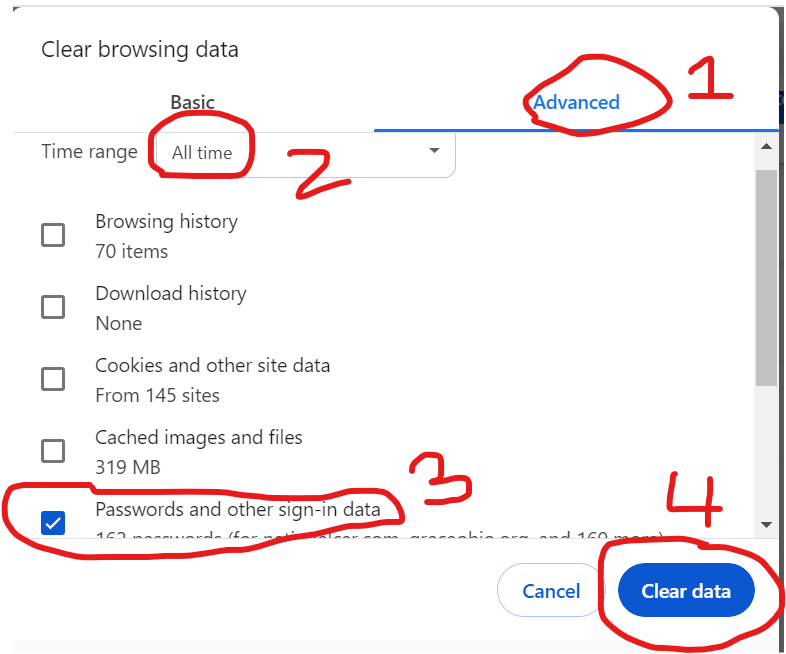
- Click on Advanced
- Set Time Range to All Time
- Uncheck all boxes except Passwords.
- Click on Clear Data
This will delete all passwords stored in Chrome.
Steps to delete all saved passwords in Chrome
This will delete all passwords stored in Chrome.